How to use Warsha
A quick visual guide for customers looking for a workshop and for workshops that want to receive requests.
-
1
searchBrowse and filter the store
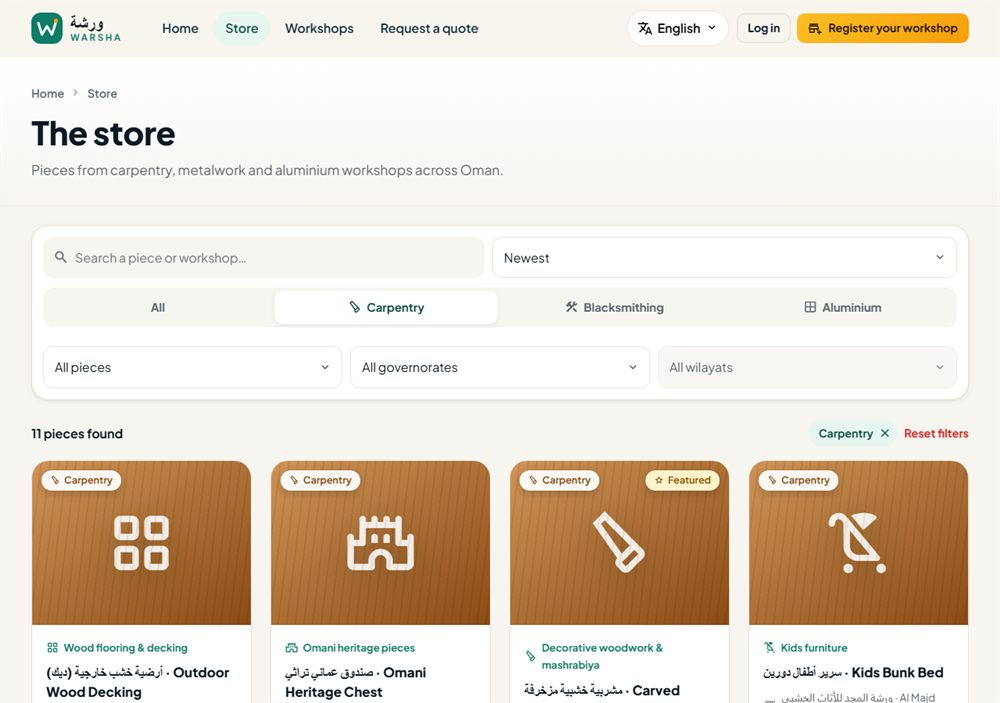
Open the store and search by name, or narrow the list by craft (carpentry, blacksmith, aluminium), piece type, governorate and wilayat. Tick “include workshops that serve this area” to also see workshops from other places that deliver and install in your area.
-
2
inventory_2Open a piece and send your request
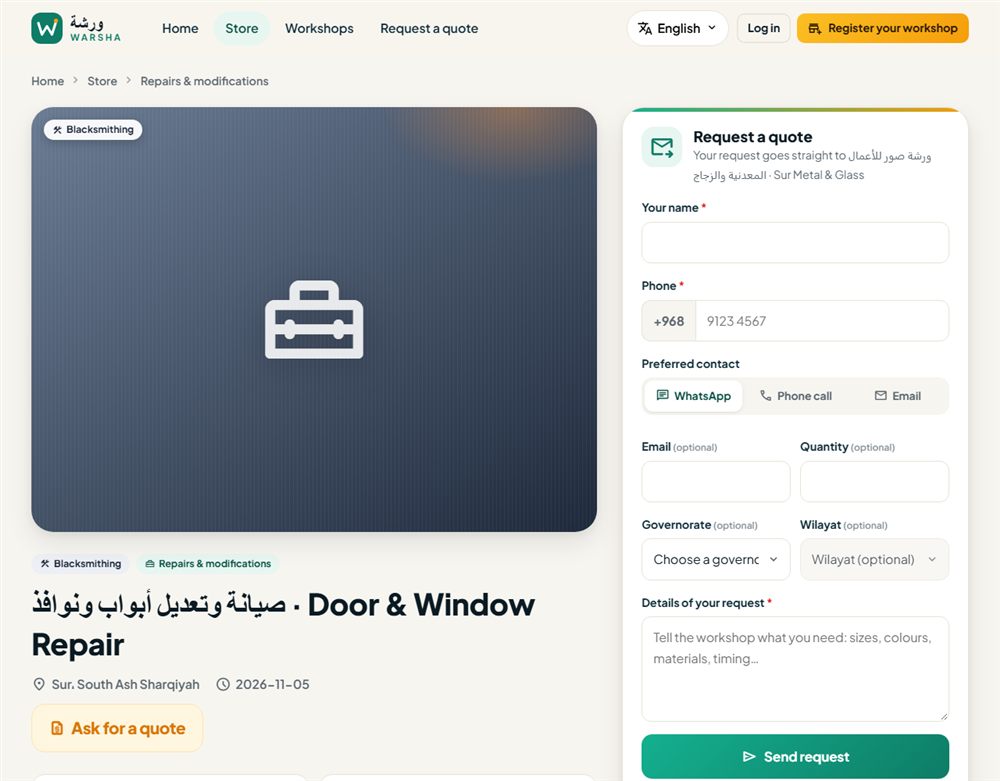
See the photos, material, size, starting price and who makes it. Fill in the request form beside the piece: your name, phone, how you prefer to be contacted and what you need. Your request goes straight to the workshop's email. Nothing is paid on the site.
-
3
edit_noteCan't find it? Post a general request
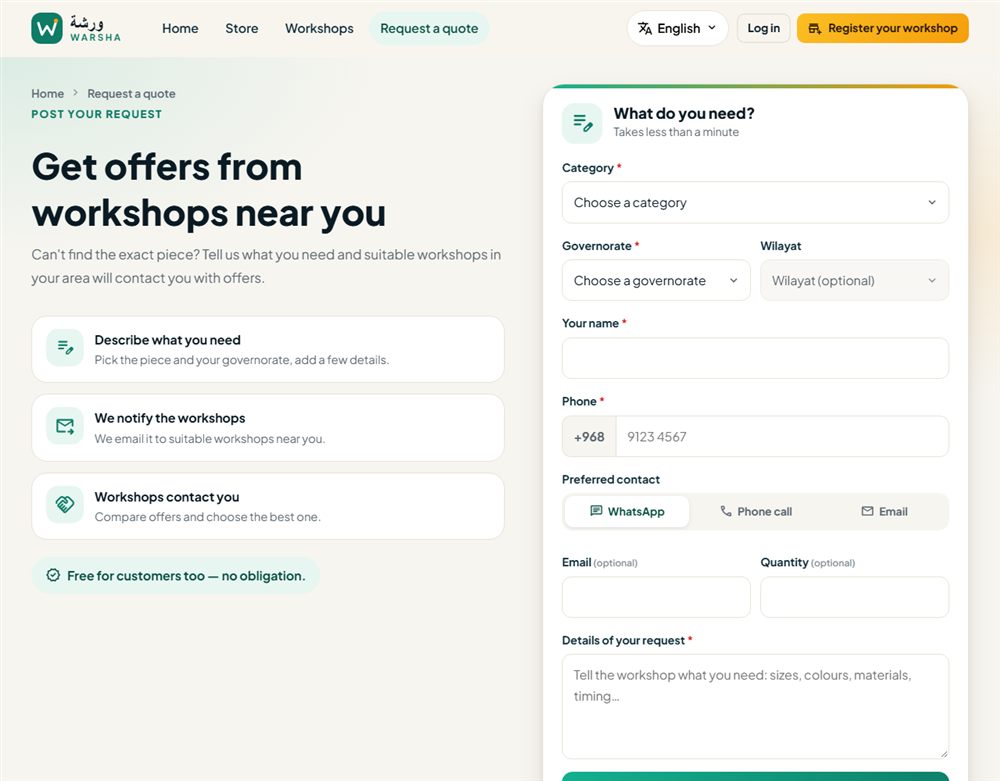
Choose the piece type and your governorate and describe what you need. Your request is sent to several matching workshops at once, so you can compare their replies.
-
4
mark_email_readWait for the workshop to contact you
The workshop replies by phone, WhatsApp or email. Agree on price, timing, delivery and payment directly with the workshop. Warsha does not take part in deals or payments.
-
1
add_businessRegister your workshop (free)
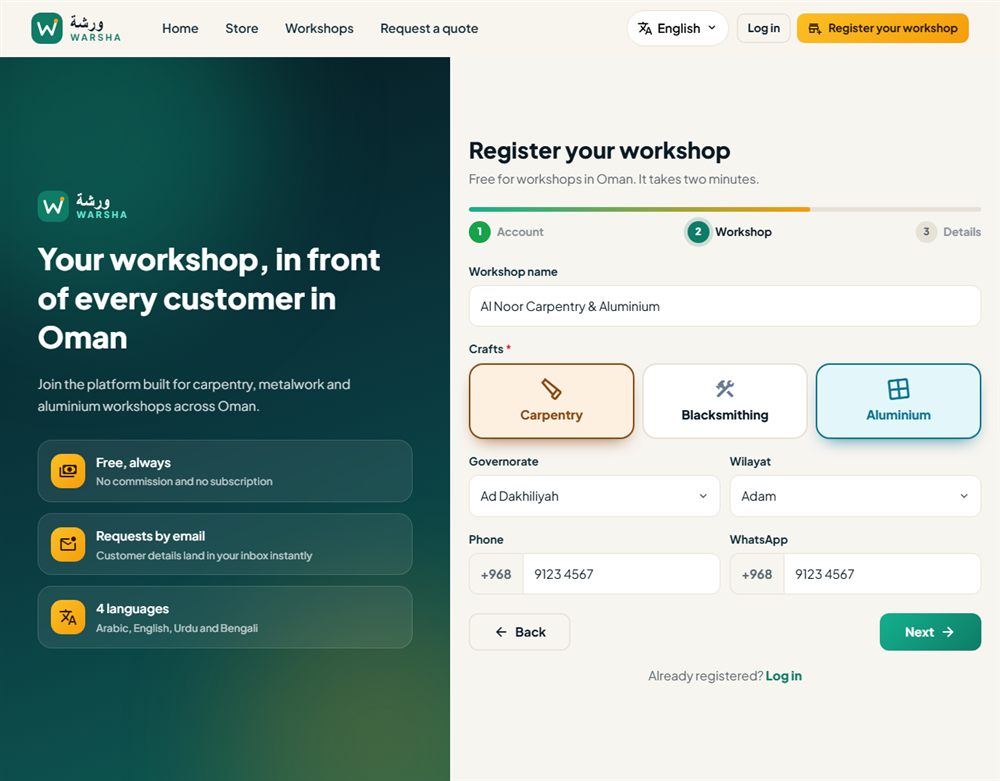
Create your account in three short steps: your login details, your workshop (crafts, governorate, wilayat, phone), then the pieces you make and the areas you serve. Registration is free.
-
2
hourglass_topWait for approval
The Warsha team reviews every new workshop. You can sign in and prepare your pieces straight away; your workshop becomes public as soon as it is approved.
-
3
add_photo_alternateAdd your pieces with photos
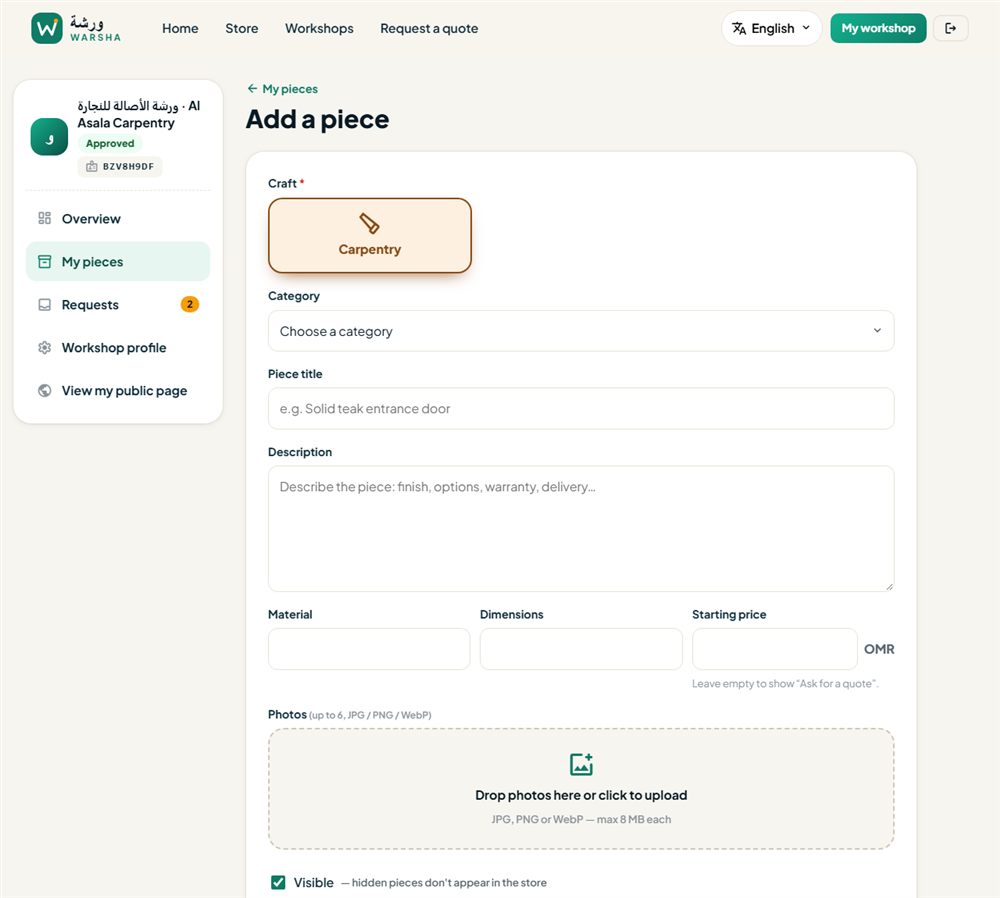
Add each piece with up to six photos, a title, material, sizes and a starting price. Clear photos and honest details bring more requests.
-
4
inboxReceive requests
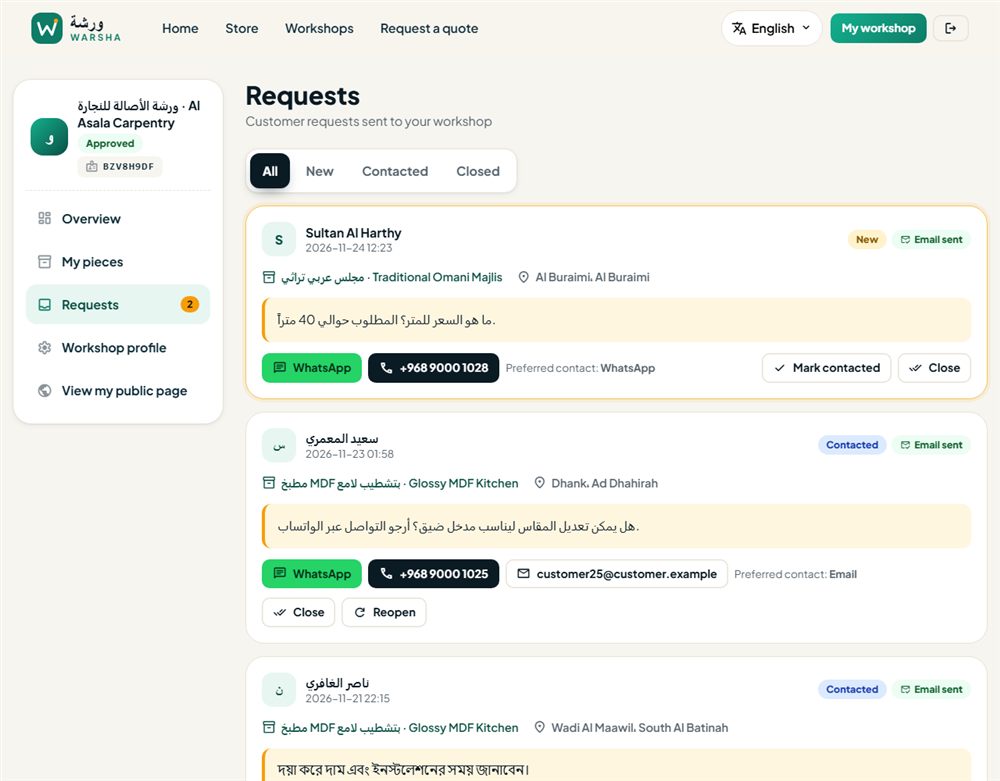
Every request reaches the notification email you chose and appears in your dashboard inbox with the customer's phone, WhatsApp and message. Reply, then mark it as contacted or closed.
-
5
dashboardYour dashboard and workshop code
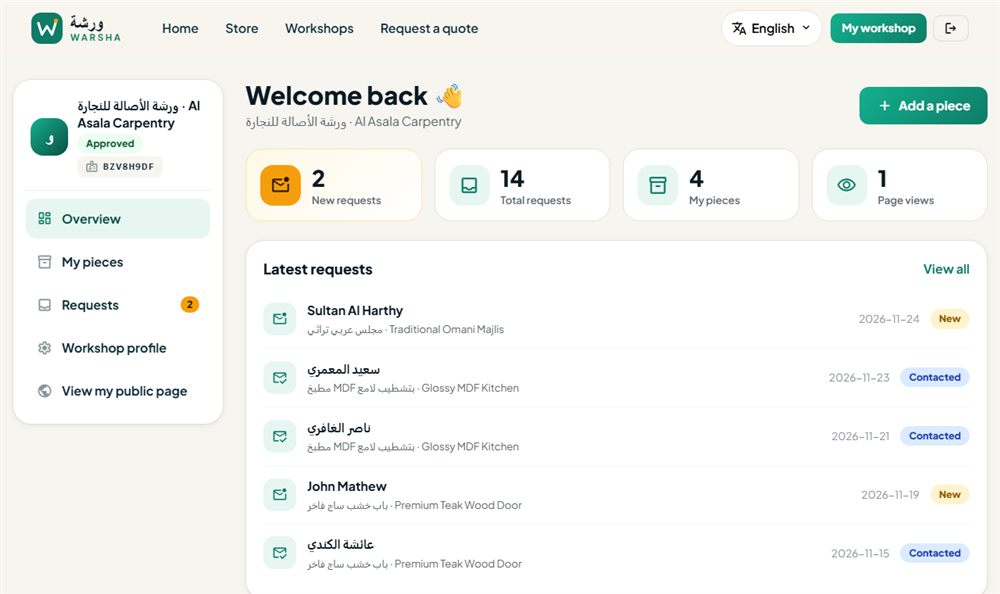
The overview shows your pieces, views and new requests. Your workshop has a unique public code (like K7M2QX9D): it is part of your public page address and you can quote it when you contact us. Update your details at any time from the profile page.
By using Warsha you accept the Terms & Privacy